Jenkins Plugins
| Введение | |
| Stage View | |
| Robot | |
| Статьи про Jenkins |
Введение
Расширив функционал Jenkins плагинами можно получить гораздо более приятное и информативное оформление отчётов и много других полезных функций.
РЕКЛАМА от Яндекса. Может быть недоступна в вашем регионе
Конец рекламы. Если там пусто считайте это рекламой моей телеги
Stage View
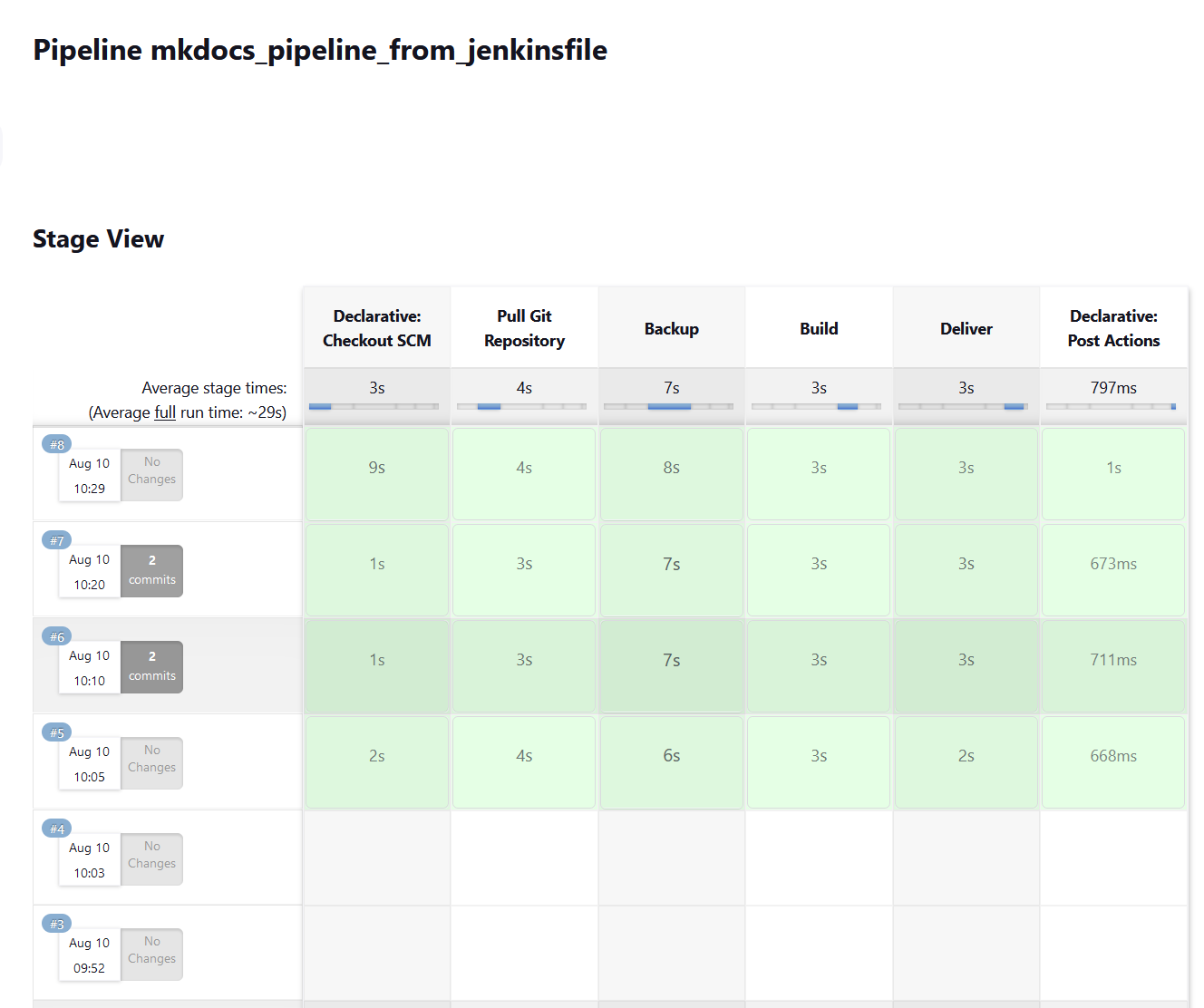
Для визуализации результатов работы всех стадий пайплайна обычно используется Pipeline Stage View плагин
www.eth1.ru
Robot Framework
Без плагина для Robot Framework отчёты о тестах будут видны в выводе консоли примерно так:
[Pipeline] sh + robot ./src/tests/ui ============================================================================== Ui ============================================================================== Ui.Ui Test Page :: Example that opens single page ============================================================================== Starting a browser with a page | PASS | ------------------------------------------------------------------------------ Fill Field | FAIL | Title 'TopBicycle.ru' (str) should be 'TopBicycle' (str) ------------------------------------------------------------------------------ Renovation | PASS | ------------------------------------------------------------------------------ Italy | PASS | ------------------------------------------------------------------------------ Img | FAIL | Title '�������������������� ������ ���������� �� �������������������� ���� ������������' (str) should be '�������������������� ������ ���������� �� �������������������� ���� ������������ �� ��������������������������' (str) ------------------------------------------------------------------------------ Radio Buttons | PASS | ------------------------------------------------------------------------------ Checkboxes | PASS | ------------------------------------------------------------------------------ Dropdown | PASS | ------------------------------------------------------------------------------ Table | PASS | ------------------------------------------------------------------------------ Nested Table | PASS | ------------------------------------------------------------------------------ Upload File | FAIL | ValueError: Nonexistent input file path '/opt/workspace/robot_pipeline/heihei_logo.jpg' ------------------------------------------------------------------------------ Ui.Ui Test Page :: Example that opens single page | FAIL | 11 tests, 8 passed, 3 failed ============================================================================== Ui | FAIL | 11 tests, 8 passed, 3 failed ============================================================================== Output: /opt/workspace/robot_pipeline/output.xml Log: /opt/workspace/robot_pipeline/log.html Report: /opt/workspace/robot_pipeline/report.html [Pipeline] } [Pipeline] // script [Pipeline] } [Pipeline] // stage [Pipeline] } [Pipeline] // node [Pipeline] End of Pipeline ERROR: script returned exit code 3 Finished: FAILURE
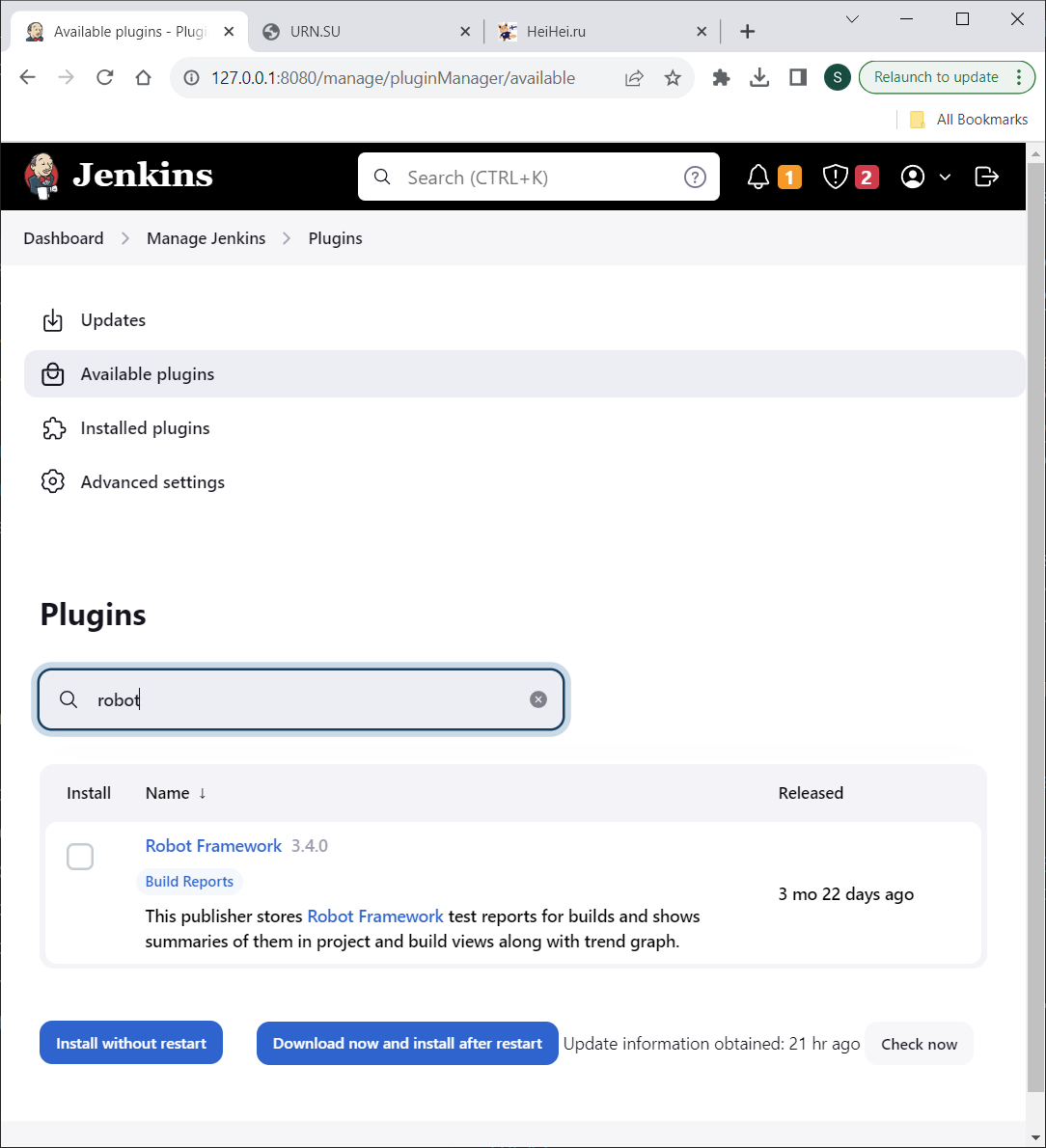
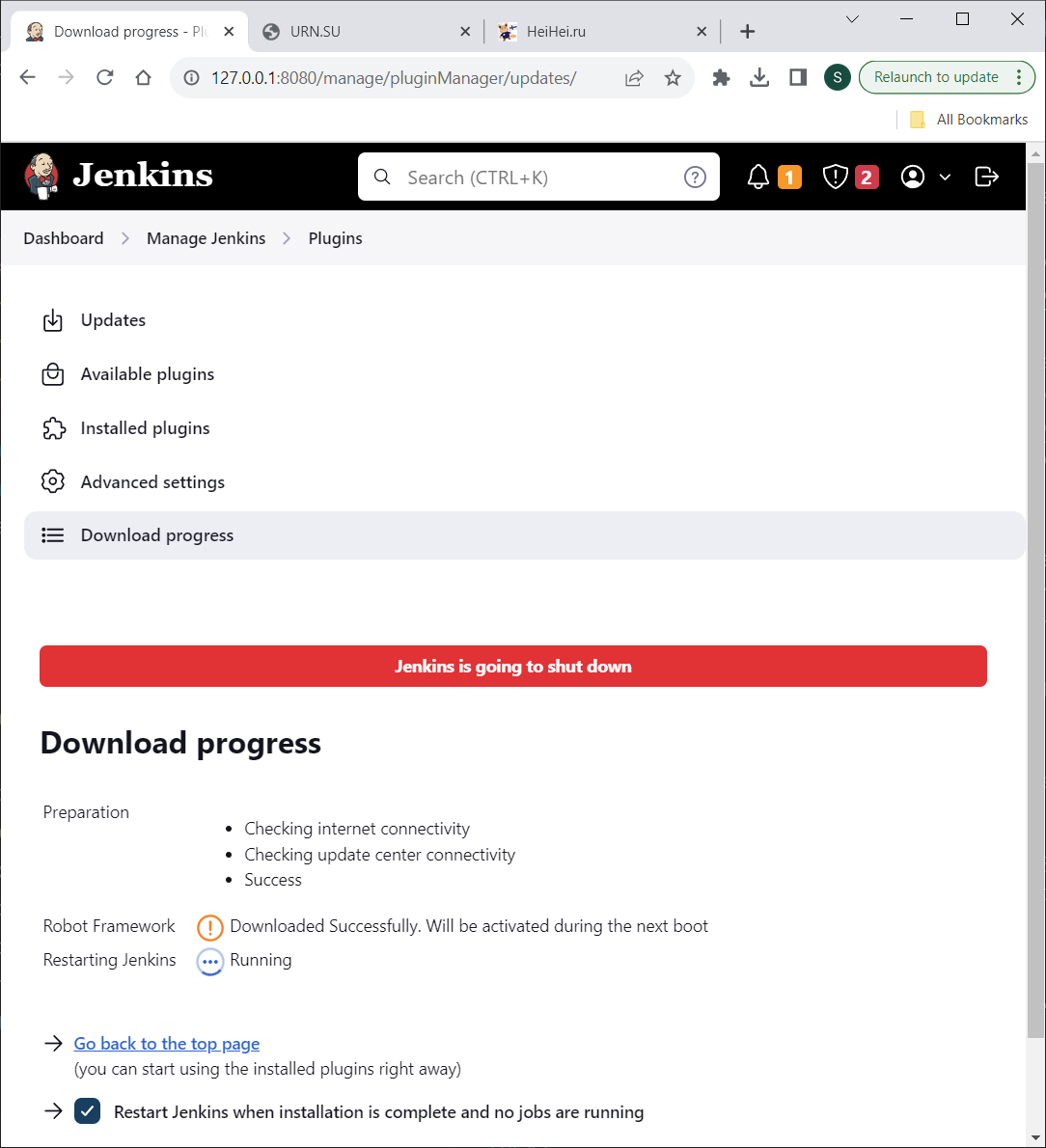
Гораздо более удобным будет изучение тех же данных с помощью плагина для Robot Framework, который предоставит статистику, и удобную навигацию по файлам.
www.eth1.ru
www.eth1.ru
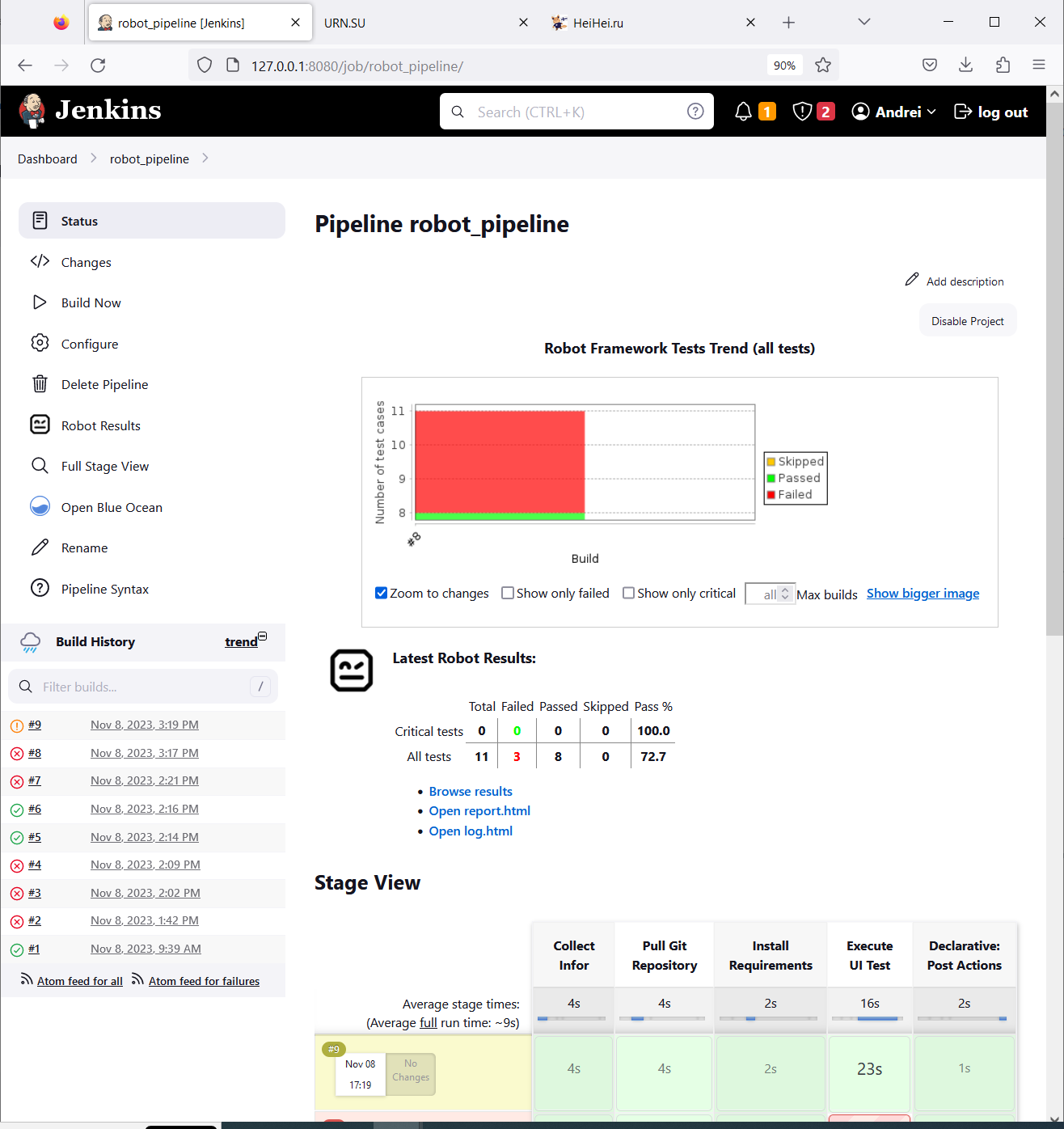
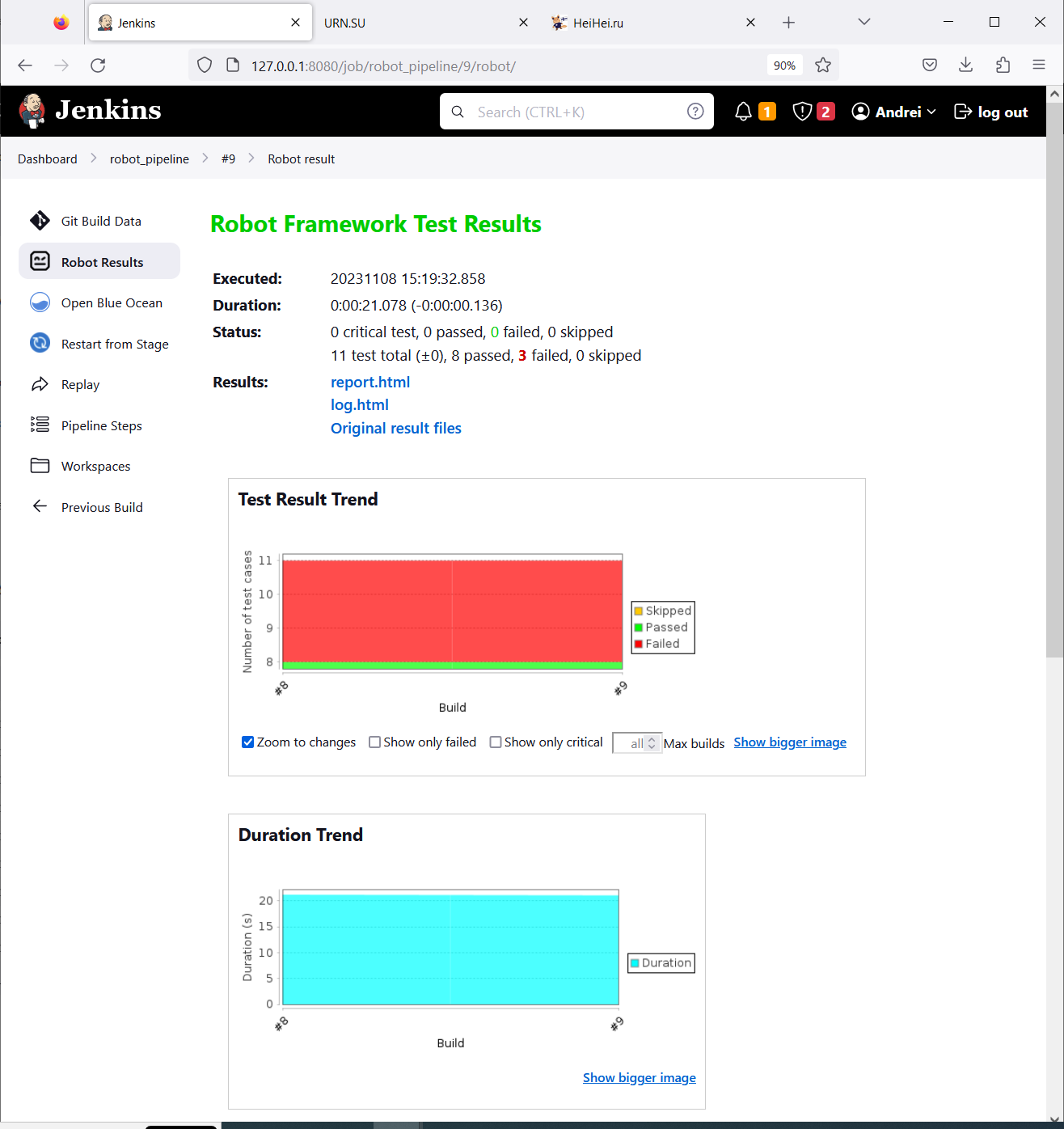
После установки плагинов Robot Framework и Stage View отчёт с результатами тестов выглядит примерно следующим образом:
www.eth1.ru
Latest Robot Results и Robot Framework Test Trends (all tests) - это результат работы плагина Robot Framework
Для просмотра report.html и log.html нужны дополнительные настройки . Browse results можно открыть сразу.
www.eth1.ru
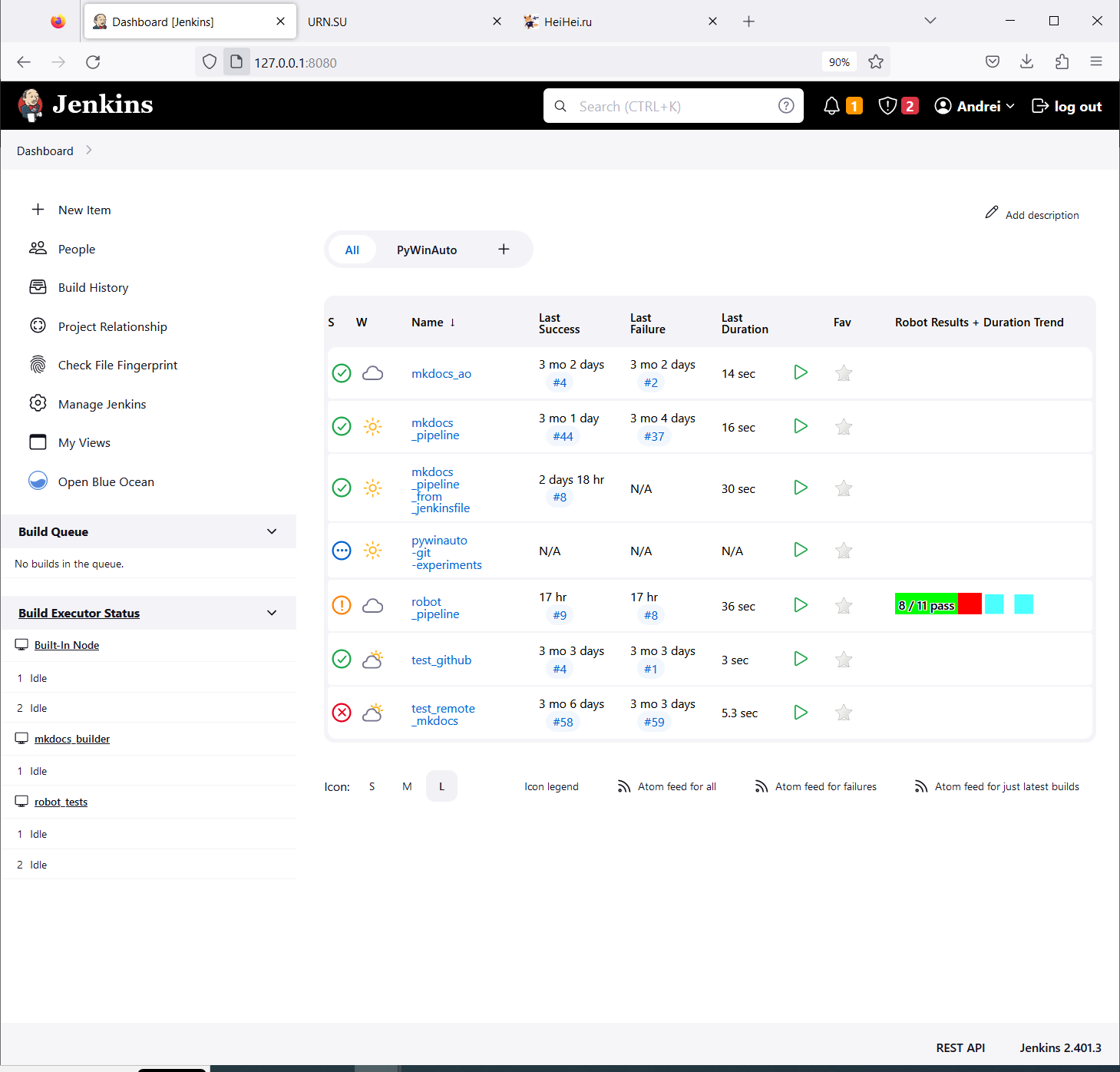
На главной странице (Dashboard) плагин показывает статистику Robot Results + Duration Trend
www.eth1.ru
Просмотр логов и отчётов Robot Framework
После установки плагина Robot Framework файлы report.html и log.html могут не открываться в Jenkins с похожей ошибкой
Opening Robot Framework log failed • Verify that you have JavaScript enabled in your browser. • Make sure you are using a modern enough browser. Firefox 3.5, IE 8, or equivalent is required, newer browsers are recommended. • Check are there messages in your browser's JavaScript error log. Please report the problem if you suspect you have encountered a bug.
Это связано с довольно жёсткой политикой безопастности выставленной по умолчанию. Подробнее
здесь
и
здесь
Решить её можно добавив скрипт (будет работать до следующей перезагрузки Jenkins)
System.setProperty("hudson.model.DirectoryBrowserSupport.CSP","sandbox allow-scripts; default-src 'none'; img-src 'self' data: ; style-src 'self' 'unsafe-inline' data: ; script-src 'self' 'unsafe-inline' 'unsafe-eval' ;")
В поле ввода
Manage Jenkins → Script Console
Затем нужно нажать кнопку Run
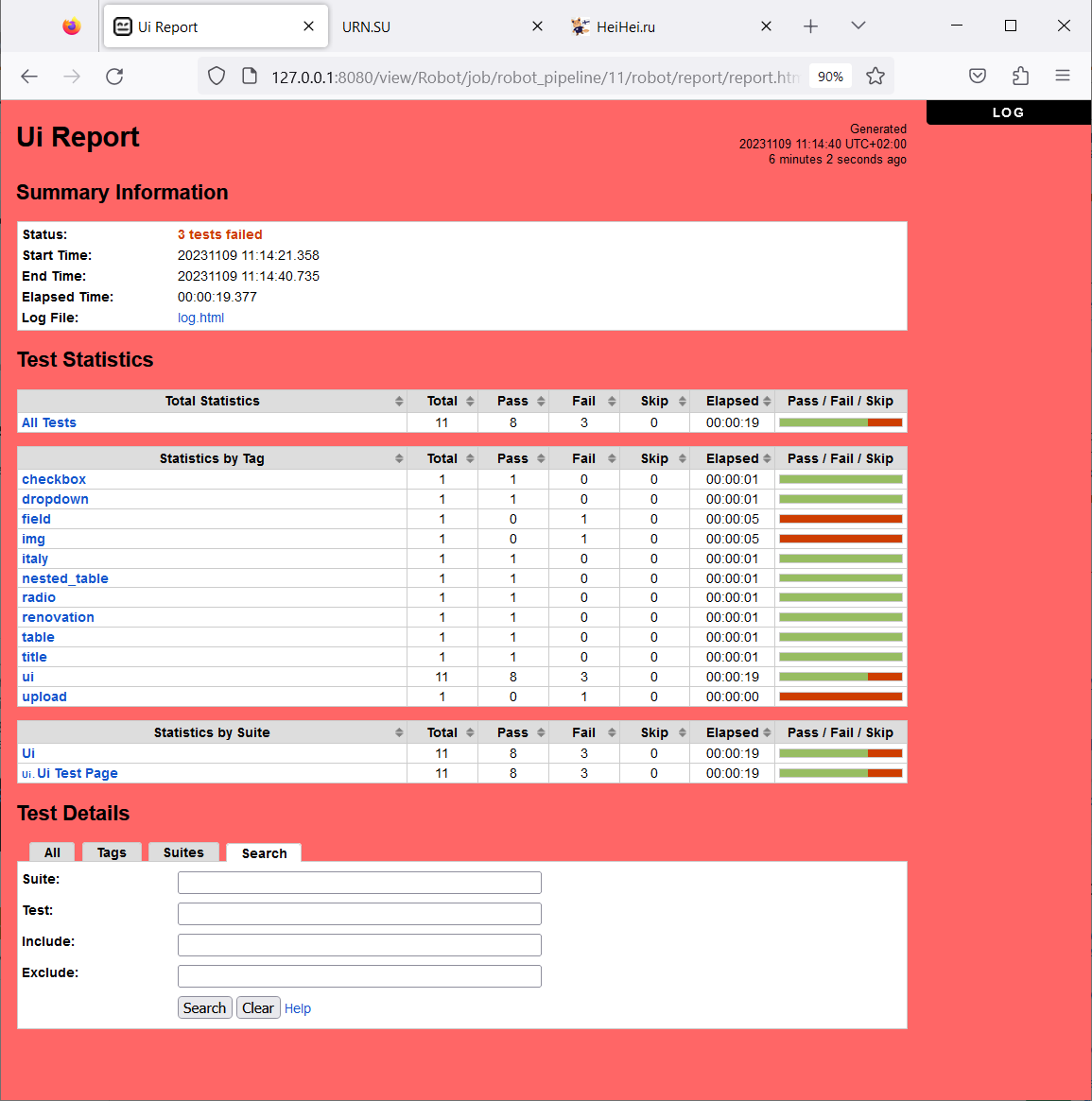
После этой манипуляции отчёты доступны в привычном виде:
www.eth1.ru

www.eth1.ru
Чтобы отчёты были читаемы и после перезагрузки нужно добавить те же значения, что были в скрипте в конфигурацию Jenkins
В данном примере я использовал
docker compose
поэтому мне нужно отредактировать
docker-compose.yml
Зелёным выделено добавление переменной окружения JAVA_OPT
jenkins: # image specified in Dockerfile # image: jenkins/jenkins:lts restart: always privileged: true user: root build: context: ./dockerfiles dockerfile: Dockerfile.jenkins args: buildversion: 1 SSH_PRIVATE_KEY: "" ports: - "8080:8080" - "50000:50000" environment: JAVA_OPTS: -Dhudson.model.DirectoryBrowserSupport.CSP="sandbox allow-same-origin allow-scripts; default-src 'self'; script-src 'self' 'unsafe-inline' 'unsafe-eval'; img-src 'self' data:; style-src 'self' 'unsafe-inline' data:; font-src 'self'" container_name: jenkins networks: net3: ipv4_address: 10.5.0.6 jenkins: ipv4_address: 10.7.0.6 extra_hosts: - "nginx.andrei.com:10.7.0.8" - "mkdocs.andrei.com:10.7.0.10" - "robot.andrei.com:10.7.0.12" volumes: - ./var/jenkins_home:/var/jenkins_home - /var/run/docker.sock:/var/run/docker.sock
Пример Pipeline
pipeline { agent {label 'robot'} stages { stage("Collect Info") { steps { script { sh 'pwd' sh 'ls -la' sh 'whoami' } dir("/opt/tests") { sh 'pwd' sh 'ls -la' } } } stage("Pull Git Repository") { steps { git( url: "https://github.com/AndreiOlegovich/robot_web_ui_test.git", branch: "main", changelog: true, poll: true ) } } stage("Install Requirements") { steps { script { sh 'python -m pip install -r ./requirements.txt' } } } stage("Execute UI Test") { steps { sh script: "robot --nostatusr ./src/tests/ui", returnStatus: true } } } post { always { // `onlyCritical: false` is for RF 3.x compatibility. This will be deprecated // and removed in the future. robot outputPath: '.', passThreshold: 80.0, unstableThreshold: 70.0, onlyCritical: false } } }
Автор статьи: Андрей Олегович
| Jenkins | |
| Установка Jenkins | |
| Основы Jenkins | |
| Агенты | |
| Jenkins Freestyle project | |
| Jenkins Pipeline | |
| Credentials | |
| Задания по расписанию | |
| Плагины | |
| Разбор ошибок | |
| DevOps | |
| Docker |